# 트레이딩 하기

Click Spot Bot으로 Telegram 안에서 손쉽게 Solana 토큰을 바로 거래할 수 있어요. 채팅 인터페이스를 벗어나지 않아도 돼요.

### 사용 방법 :  <a href="#c3e139cd-d227-4f7f-93bc-bbf3f7731b8d" id="c3e139cd-d227-4f7f-93bc-bbf3f7731b8d"></a>

1. **토큰 찾기:** 컨트랙트 주소를 입력하거나 이름/티커로 검색
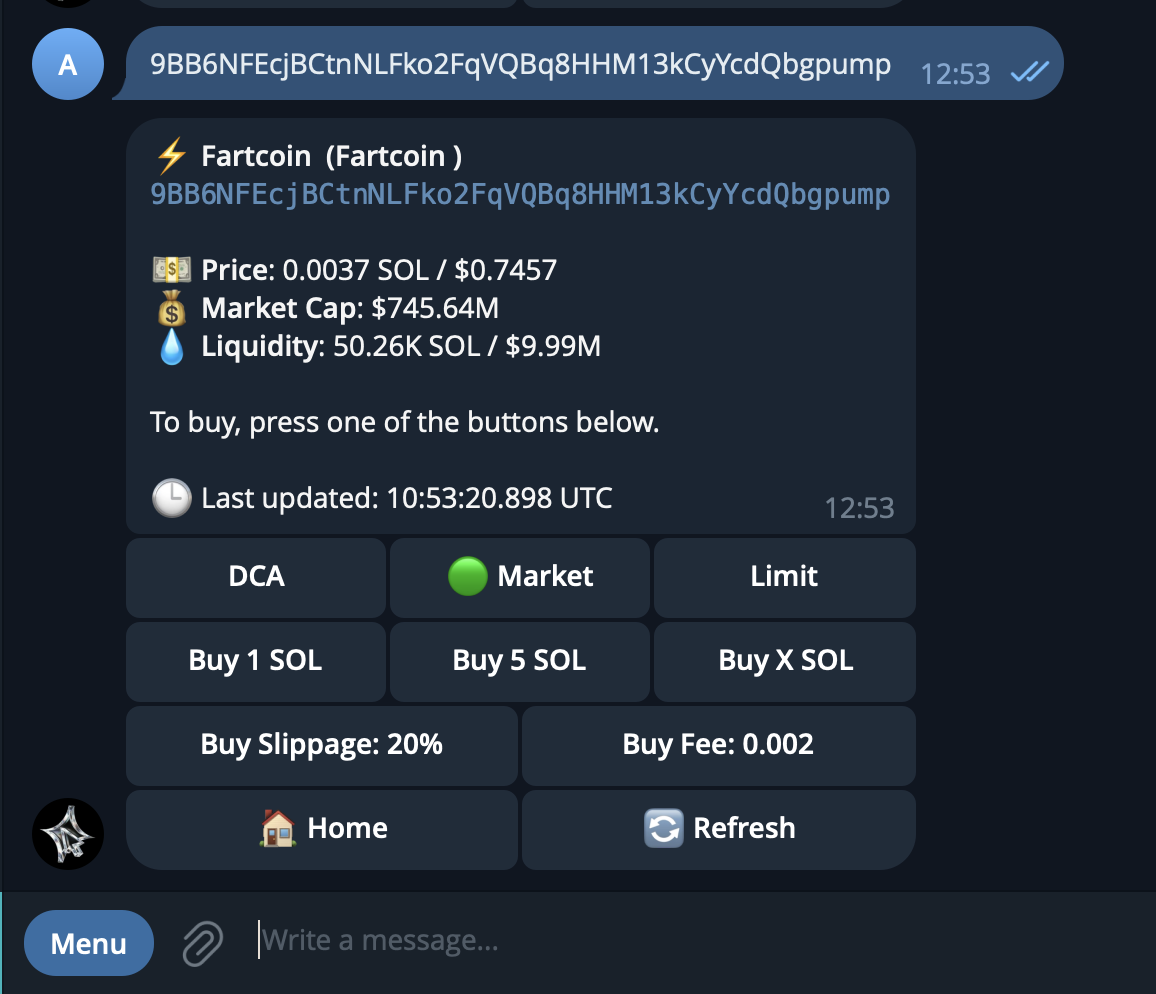
2. **Trading Panel 확인:** 가격, 유동성 같은 거래 지표 확인
3. **거래 실행:** 유연한 금액으로 매수/매도
4. **포지션 관리:** 포트폴리오 성과 모니터링

<figure><img src="https://content.gitbook.com/content/2Ff6PHR5EN5ZC0QYEAPf/blobs/VzmTeEGhnAMB75ZASXhP/Bildschirmfoto%202025-09-01%20um%2012.54.29.png" alt=""><figcaption></figcaption></figure>

### 주요 섹션 <a href="#id-06eed2e1-dc0e-4a8d-b0b7-f18fd3f21a2c" id="id-06eed2e1-dc0e-4a8d-b0b7-f18fd3f21a2c"></a>

* **Token Search:** 컨트랙트 주소, 이름, 티커 심볼로 토큰 검색
* **Buy a Token:** 프리셋이나 원하는 SOL 금액으로 마켓 매수
* **Sell a Token:** 제안된 프리셋 비율이나 원하는 수량으로 매도
* **Manage Positions:** 실시간 손익 추적 및 보유 자산 모니터링
* **Withdraw:** SOL을 외부 Solana 지갑으로 출금

---

# Agent Instructions: Querying This Documentation

If you need additional information that is not directly available in this page, you can query the documentation dynamically by asking a question.

Perform an HTTP GET request on the current page URL with the `ask` query parameter:

```
GET https://docs.click.trade/product-docs-korean/spot-trading-bot/undefined.md?ask=<question>
```

The question should be specific, self-contained, and written in natural language.
The response will contain a direct answer to the question and relevant excerpts and sources from the documentation.

Use this mechanism when the answer is not explicitly present in the current page, you need clarification or additional context, or you want to retrieve related documentation sections.
