> For the complete documentation index, see [llms.txt](https://docs.click.trade/llms.txt). Markdown versions of documentation pages are available by appending `.md` to page URLs; this page is available as [Markdown](https://docs.click.trade/spot-trading-bot/trading.md).
# Trading
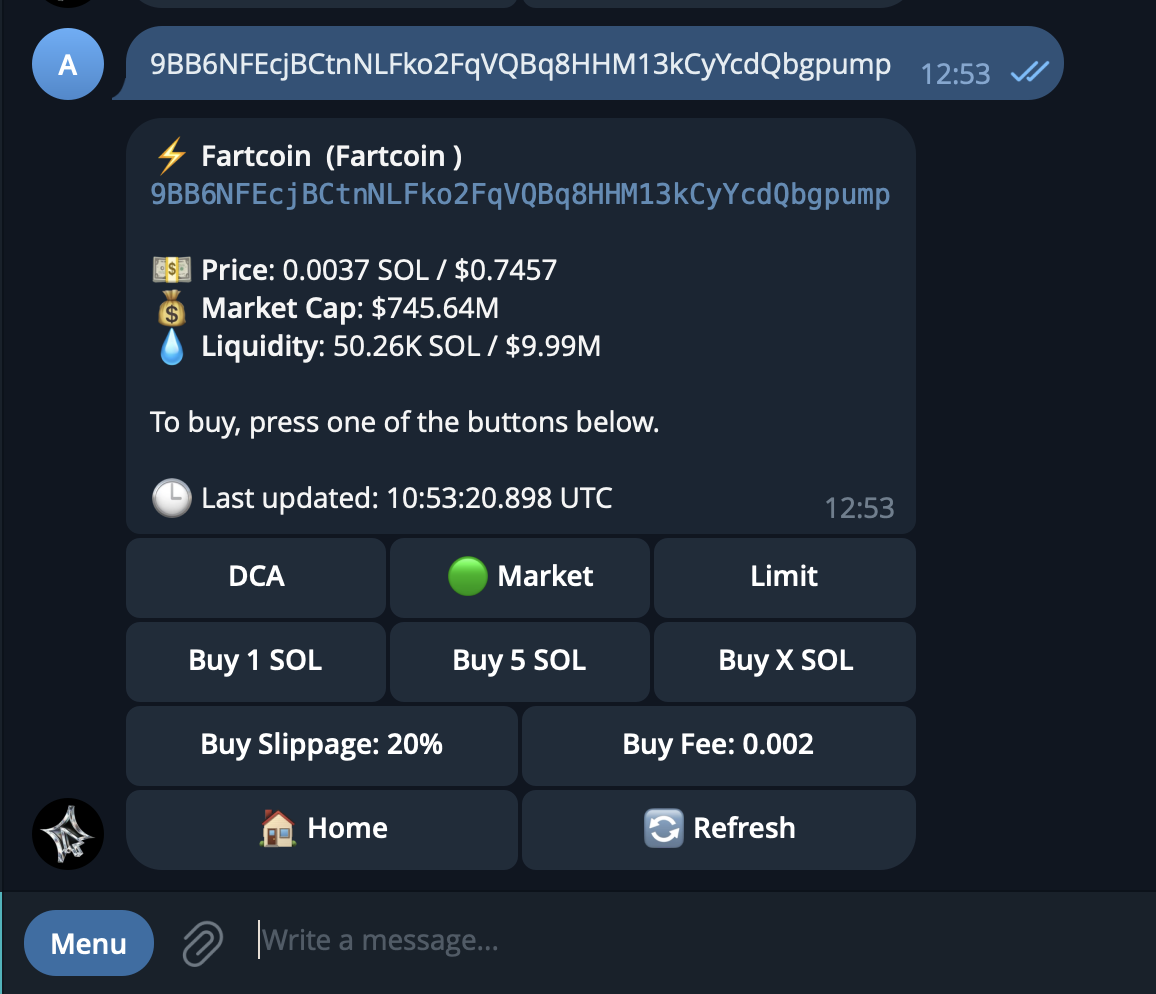
The Click Spot Bot lets you trade any Solana token directly from Telegram. Find a token, execute a trade, and manage your positions — all without leaving the chat.
### How it works
1. **Find a token** — paste a contract address (CA) or search by name/ticker
2. **Review the trading panel** — see price, market cap, liquidity, and volume
3. **Buy or sell** — use preset amounts or enter a custom value
4. **Track your positions** — monitor PnL, close positions, and withdraw profits
### In this section
| Page | Description |
| ---------------- | -------------------------------------------------- |
| Token Search | Find tokens by CA, name, or ticker |
| Buy a Token | Market buy with B1-B5 presets or custom SOL amount |
| Sell a Token | Sell by percentage (S1-S3) or custom amount |
| Manage Positions | View open positions, PnL, and generate PnL cards |
| Withdraw | Send SOL to an external Solana wallet |